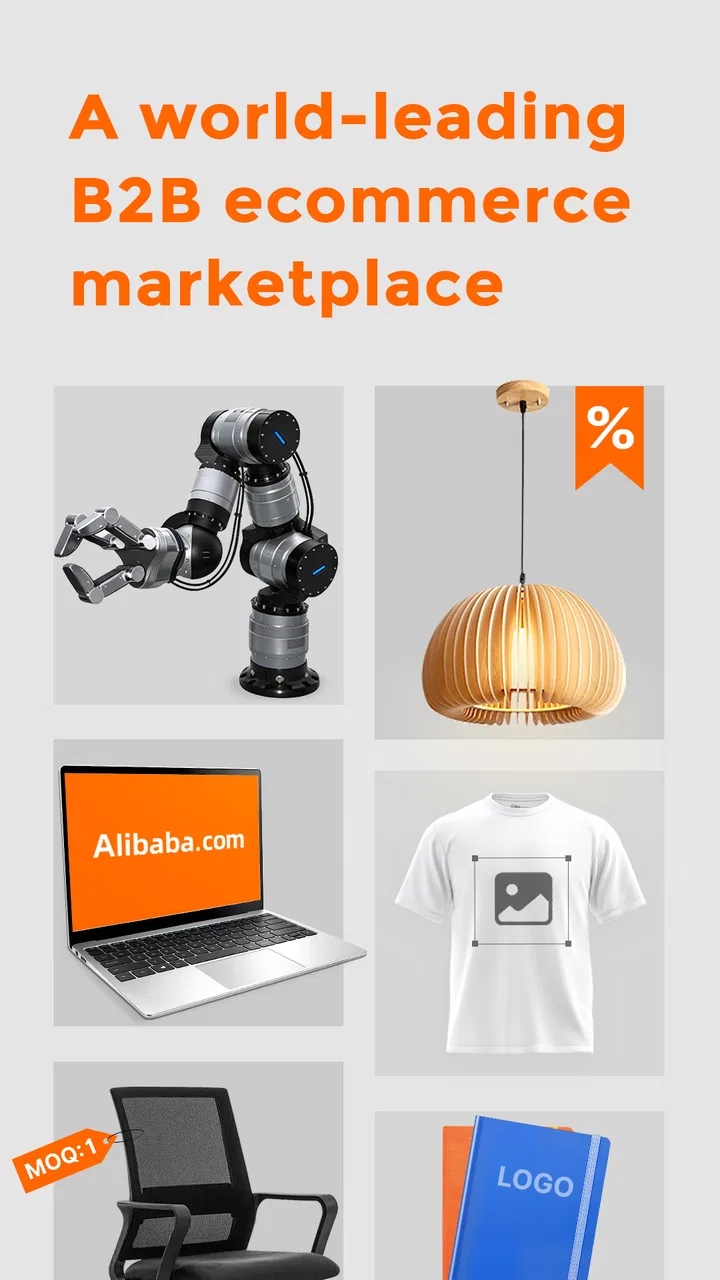
Alibaba.com - B2B marketplace
- 4.4
- Rating
- 500.00M
- Installs
- Free
- Price

 Analysis by App-foxy
I approached Alibaba.com as a shopping app with a different purpose from the retail marketplaces most people use every week. It is built around business purchasing: finding products from suppliers, comparing offers, and starting conversations about orders rather than simply adding one finished item to a household cart. That distinction affects almost every part of the experience, including how easy it is to read listings, how much attention product research requires, and whether the app suits a quick purchase or a longer sourcing task.
My overall impression is that it can be genuinely useful when I know what I am trying to source and am prepared to check details carefully. It is less comfortable when I want a simple, predictable checkout with familiar consumer protections and minimal negotiation. Alibaba Mobile has developed a very large marketplace, and the app’s scale is both its main strength and one of its biggest usability challenges.
How the marketplace feels to use in different situations
I use Alibaba.com differently depending on what I need: a focused search can make its business marketplace feel manageable, while open-ended browsing can quickly become a lot to sort through. This section looks at how that difference plays out in everyday situations, especially when I’m researching rather than making a quick retail purchase. It also sets up a closer look at the practical choices that make the app easier to navigate.
In-Depth Coverage of Alibaba.com - B2B marketplace
Readability and navigation during product research
The first thing I notice is that this is not an app I use in the same way as a normal retail store. A consumer marketplace usually guides me toward a finished product, a visible price, and a straightforward delivery choice. Here, I often have to interpret supplier information, variations, minimum order expectations, shipping details, and messages before I can decide whether a listing is actually suitable.
The home experience is designed to expose a wide range of products and sourcing possibilities. That is helpful if I am exploring a category, but it can also create visual and mental clutter. A search for something broad may return many similar offers, and the important difference between them may be hidden in the listing details rather than obvious from the first image. I find the app easier to manage when I begin with a specific phrase instead of browsing without a plan.
For readability, I would treat every product page as a document to inspect rather than a quick sales card. Product names can be dense, specifications may require scrolling, and supplier information competes for attention with photographs and commercial details. I get better results by slowing down and looking for the information that affects the order itself: available variations, quantities, customization language, shipping terms, and the exact wording around the offer.
One useful habit is to keep a short comparison note outside the app while researching. I record the supplier name, the relevant variation, the quantity discussed, and any unanswered question. This is especially valuable when several listings look almost identical. Without that small system, it is easy to reopen the wrong offer or remember a general impression instead of the specific terms.
The app is rated at 4.4 on average from roughly three million ratings, which suggests that many people find the core marketplace valuable. I would not interpret that figure as proof that every listing is easy to understand, though. The experience depends heavily on the quality of each supplier’s presentation, and that consistency is outside the app’s direct control.
Navigation choices that help and choices that slow me down
Search is more useful here than casual scrolling because it narrows a marketplace that can otherwise feel endless. I try several versions of a product term, then compare results instead of assuming the first relevant-looking listing is the best one. A slightly different phrase can bring up suppliers aimed at different order sizes or business uses.
I also separate discovery from decision-making. During discovery, I save or revisit promising listings and look for patterns in the offers. During decision-making, I focus on one supplier at a time and verify the details through the listing and conversation. Mixing these stages makes the app feel more confusing because I am comparing products before I know which details matter.
That workflow is particularly useful for people who find dense interfaces tiring. Rather than trying to process every card, image, and promotional message, I reduce the task to a few questions: Is the product appropriate? Can the supplier meet the quantity or variation I need? Are the delivery and communication terms acceptable? This does not remove all friction, but it makes the screen easier to approach.
The app is free, which makes it easy to install and investigate without committing money to the software itself. The real cost is time. Product research, supplier communication, and order checking can take much longer than a standard retail purchase, so I would not recommend opening it when I need an immediate, low-effort solution.
Motor and sensory considerations
From a motor perspective, the main challenge is not a single complicated gesture. It is the amount of repeated interaction involved in a serious purchase: scrolling through long pages, opening different listings, switching between product information and supplier communication, and returning to compare options. Someone with limited dexterity may find this tiring even if each individual tap is simple.
I prefer to use the app in short sessions rather than attempting a full sourcing project in one sitting. I might first collect possible products, then return later to inspect suppliers, and finally handle questions and order details. This reduces the need for constant rapid navigation and makes it less likely that I will make a selection mistake because I am fatigued.
Screen readability varies with the listing. Some offers communicate through clear photographs and organized information, while others rely on crowded images, small text, or promotional graphics that require close inspection. I would not assume that a product image contains all the information I need. When text inside an image is difficult to read, the written listing and supplier conversation become more important.
For users who are sensitive to visual overload, the marketplace can be demanding because product images, badges, prices, quantities, and supplier details appear together. I find it calmer to decide on a narrow search goal before opening the app. For example, I may look only for a particular packaging format or a specific material rather than browsing an entire product category.
People who rely on enlarged text or other device-level display adjustments should test how comfortably the app remains usable with those settings. Enlarging content can make individual words easier to read, but it may also mean more scrolling and less information visible at once. That trade-off matters here because comparing several details on one screen is often part of evaluating an offer.
You May Also Like

 AccuWeather: Weather Radar
AccuWeather Review: A Quick, Clear Forecast for Everyday Decisions
For everyday plans, the best forecast is the one you can understand quickly. AccuWeather makes rain timing, radar, and local conditions easy to act on, with a few trade-offs.

 Hill Climb Racing
Why Hill Climb Racing Still Turns Crashes Into One More Run
A tiny car, a bumpy hill and one more upgrade: Hill Climb Racing keeps resurfacing because its simple chaos makes every near-miss feel personal.

 Lords Mobile: Kingdom Wars
Lords Mobile Is a Kingdom-Building Routine, Not a Quick Match
A case-by-case verdict on the building, battles, device demands, and social commitments that make Lords Mobile rewarding for some players and exhausting for others.

 PDF Scanner app - TapScanner
TapScanner Makes Paperwork Easier to Capture, Check, and Share
TapScanner makes scanning with a phone feel less like a rescue operation and more like a dependable step in getting work done. Its capture tools are useful, though not flawless.

 Block Blast!
Block Blast! Shows How Much a Puzzle Game Can Leave Out
A quiet grid game shows why puzzle players increasingly value instant clarity, repeatable skill and low-pressure play—and where the genre still needs to catch up.

 Family Space
Family Space Review: A Shared Routine That Makes Family Life Easier
A parenting app earns its place not by adding more noise, but by making everyday coordination easier. Family Space gets that balance mostly right.
More From Our News Desk
View All News


I would also avoid judging an item from a fast visual scan. Images may show color, shape, or packaging, but they do not necessarily answer questions about quantity, dimensions, customization, or fulfillment. A careful text-first review is safer, especially for anyone who finds rapid visual comparison difficult.
Situational access for real shopping tasks
Alibaba.com is most accessible in a practical sense when I have enough time, a stable connection, and a clear purchasing objective. In a quiet setting, I can compare listings and write down questions. In a noisy environment, on a small screen, or while multitasking, the same process becomes much harder because missing one detail can affect the entire order.
A realistic example is a small online seller preparing branded packaging for a new product. I might use the app to search for boxes, pouches, labels, or other supplies, compare several suppliers, and ask whether a particular finish or quantity is available. The app is useful because it brings business-oriented offers into one place. However, I would not place the order while distracted. I would first confirm the exact variation, the expected quantity, and the delivery arrangement in writing.
Another good use is early-stage research. If I am not ready to buy, I can learn what kinds of products and supplier options exist, then use that knowledge to refine a budget or product idea. This is where the broad marketplace works in my favor. It exposes possibilities that a local retail app may not show.
The same breadth can be a disadvantage for someone who needs a quick purchase for personal use. If I only need one item delivered soon, a conventional retail marketplace is usually easier because its listings are organized around individual consumer orders. Alibaba.com makes more sense when the business context, quantity, customization, or supplier relationship matters.
The app has passed 500 million installs, so it is clearly used at a very large scale. For me, that scale is helpful when I want to investigate a niche product, but it does not eliminate the need for personal judgment. A large choice of suppliers can mean more opportunities, yet it can also increase the effort required to identify the offer that truly fits.
Where the usual alternatives are easier
Compared with a standard consumer shopping app, Alibaba.com asks me to be more involved. Retail alternatives generally make the final price, delivery promise, and single-unit purchase path easier to understand. They are often better for household shopping, urgent replacements, gifts, or anyone who does not want to contact a supplier before buying.
Compared with a local business supplier, Alibaba.com may offer more variety and a broader range of sourcing possibilities. The trade-off is that a local contact may be easier to reach, easier to hold accountable, and more familiar with local delivery expectations. If timing is critical, I would value that predictability over a larger catalog.
Compared with a desktop browser, the mobile app is convenient for checking messages and reviewing products while away from a desk. I find a larger screen more comfortable for side-by-side comparisons and detailed order research, especially when several specifications must remain visible. The app is therefore strongest as a portable research and communication tool, not necessarily as the only place I manage a complicated purchase.
For users with accessibility needs, the better alternative depends on the task. A simpler retail app may be more suitable for a single, clearly defined purchase. A desktop workflow may be preferable when magnification, keyboard input, or a wider layout makes comparison easier. Alibaba.com remains the better choice when access to a broad B2B marketplace outweighs the extra reading and verification work.
Remaining barriers and the effort they create
The largest barrier is information density. A listing can look attractive before I have answered the questions that determine whether it is practical. I have to distinguish between the product shown in the image and the exact version selected, then understand how quantity, customization, and shipping affect the real order.
Communication is another point where patience matters. A supplier conversation can clarify an offer, but it also creates an additional step that does not exist in many consumer apps. If I need immediate certainty, waiting for an answer or interpreting an incomplete response can be frustrating. I would prepare concise questions in advance and ask them one at a time, using the same wording for several suppliers when I am comparing options.
Language and terminology can also increase the cognitive load. Even when the general product is obvious, business phrases around quantities, variations, packaging, or customization may need careful reading. I do not rely on a familiar product name alone; I check the specification and ask for clarification when a detail could change what arrives.
There is also a risk of decision fatigue. The marketplace encourages comparison, but more options do not automatically produce a better decision. I set a stopping rule for myself: once a supplier meets the essential requirements and has answered the important questions, I stop expanding the search unless there is a clear reason to continue.
Users who need very predictable, low-friction purchasing may find these barriers decisive. The app is not a poor choice because it requires attention; that attention is part of the B2B model. It is simply important to recognize that the convenience lies in access to suppliers and products, not in removing every step between search and successful delivery.
My practical approach to using it more comfortably
I begin by writing down the non-negotiable requirements before searching. This might include the product type, intended use, quantity range, preferred material, or a deadline. Doing this first prevents the visual variety of the marketplace from quietly changing what I am looking for.
Next, I shortlist rather than endlessly browse. I open a small group of relevant listings, inspect the details, and note what each supplier still needs to clarify. This is more manageable than trying to remember dozens of similar offers. It also helps me notice when a low-looking price is attached to a different quantity or variation than the one I need.
Before committing, I reread the conversation and the selected product option together. That final check is a simple but important safeguard: the message may discuss one version while the order screen shows another. I also keep screenshots or notes for my own reference when the purchase is important, not as a substitute for checking the live order details but as a way to preserve my understanding of the agreement.
For motor or sensory comfort, I use breaks, enlarge the display only as much as remains practical, and avoid making decisions when I am rushed. I also prefer written questions because they are easier to review than trying to remember a quick exchange. These are not special app features; they are user strategies that make a dense sourcing workflow more accessible.
Who should use it, and who should skip it
I would recommend the app to small business owners, online sellers, makers, event organizers, and anyone investigating bulk or customized products. It is also useful for a curious shopper who wants to understand supplier options rather than simply buy a single ready-to-ship item. The broad catalog is the reason to accept the extra research.
I would be more cautious about recommending it to someone shopping for one ordinary household item, especially if delivery speed and a simple return path matter more than supplier variety. A familiar retail app is likely to be less demanding. I would also suggest another route for anyone who finds dense pages, repeated scrolling, or written negotiation especially difficult and does not have time for a slower, structured process.
Age classification places the app in the Teen range, but the business nature of the marketplace is the more useful practical consideration. Younger users may be able to explore products, yet purchasing decisions involving quantities, customization, payment, or supplier communication deserve adult judgment and careful review.
Inclusive verdict after using the marketplace
Alibaba.com is a powerful but demanding shopping app. Its value comes from connecting me with a huge range of business-oriented product offers, not from making every purchase feel like a quick retail transaction. I appreciate the freedom to research, compare, and communicate from a phone, while recognizing that the app expects me to read closely and make informed decisions.
The current version is 26.6.0, and the app supports devices running Android 5.0 or later. It is developed by Alibaba Mobile and remains free to install. Those practical details make it easy to try, but the more important question is whether the sourcing model fits my needs.
My inclusive verdict is positive with a clear condition: the app works best for people who can control the pace of research and are willing to break a complicated purchase into smaller checks. It is less suitable when visual density, motor effort, communication demands, or time pressure make that process unrealistic. I would recommend trying it with a modest research task first, using a written checklist and a narrow search goal. If that experience feels manageable, the marketplace can become a valuable tool; if it feels exhausting before the purchase even begins, a simpler retail or local-business alternative will probably serve you better.
FAQs for Alibaba.com - B2B marketplace
01What is Alibaba.com, and how does it work?
Alibaba.com is a leading B2B e-commerce platform that connects buyers and suppliers worldwide. It allows businesses to source products at wholesale prices directly from manufacturers and suppliers. Users can browse a vast catalog of products, communicate with sellers, and negotiate prices, making it an essential tool for businesses looking to expand globally.
02Is Alibaba.com safe and secure for transactions?
Alibaba.com implements several safety measures to ensure secure transactions, such as Trade Assurance, which protects payments up to a certain amount if orders are not shipped on time or do not meet the quality standards. Additionally, the platform uses secure payment gateways, but users should always conduct due diligence and verify supplier credentials before proceeding.
03How do I find reliable suppliers on Alibaba.com?
Finding reliable suppliers on Alibaba.com involves checking seller profiles, reading customer reviews, and looking for verified badges such as ‘Gold Supplier’ and ‘Verified Supplier.’ It’s also beneficial to communicate directly with suppliers to gauge their responsiveness and professionalism. Using Trade Assurance can add an extra layer of security.
04What types of products can I find on Alibaba.com?
Alibaba.com offers a wide range of products across numerous categories, including electronics, apparel, machinery, consumer goods, and more. Whether you're a small business looking for niche items or a larger enterprise seeking bulk orders, the platform provides diverse options to meet various business needs.
05How can I negotiate prices with suppliers on Alibaba.com?
To negotiate prices effectively on Alibaba.com, start by communicating clearly with suppliers about your requirements and budget. Request quotes from multiple suppliers to compare offers, and don’t hesitate to ask for discounts on bulk orders. Building a good rapport with suppliers can also lead to better deals.
Pros
- Extensive product variety across categories.
- User-friendly interface for easy navigation.
- Secure payment options enhance trust.
- Global supplier network for diverse needs.
- Efficient communication tools with suppliers.
Cons
- Complex pricing can confuse new users.
- Shipping times vary greatly by supplier.
- Occasional language barriers in communication.
- Quality assurance depends on the supplier.
- Limited customer support for disputes.

Alibaba.com - B2B marketplace
Gallery